
Shapes · Preview · Geometric redaction
Visual anonymization by zones
Cover signatures, photos, seals and handwriting with shapes on the document. Adjust zones with preview and combine visual redaction with patterns and local EU AI.
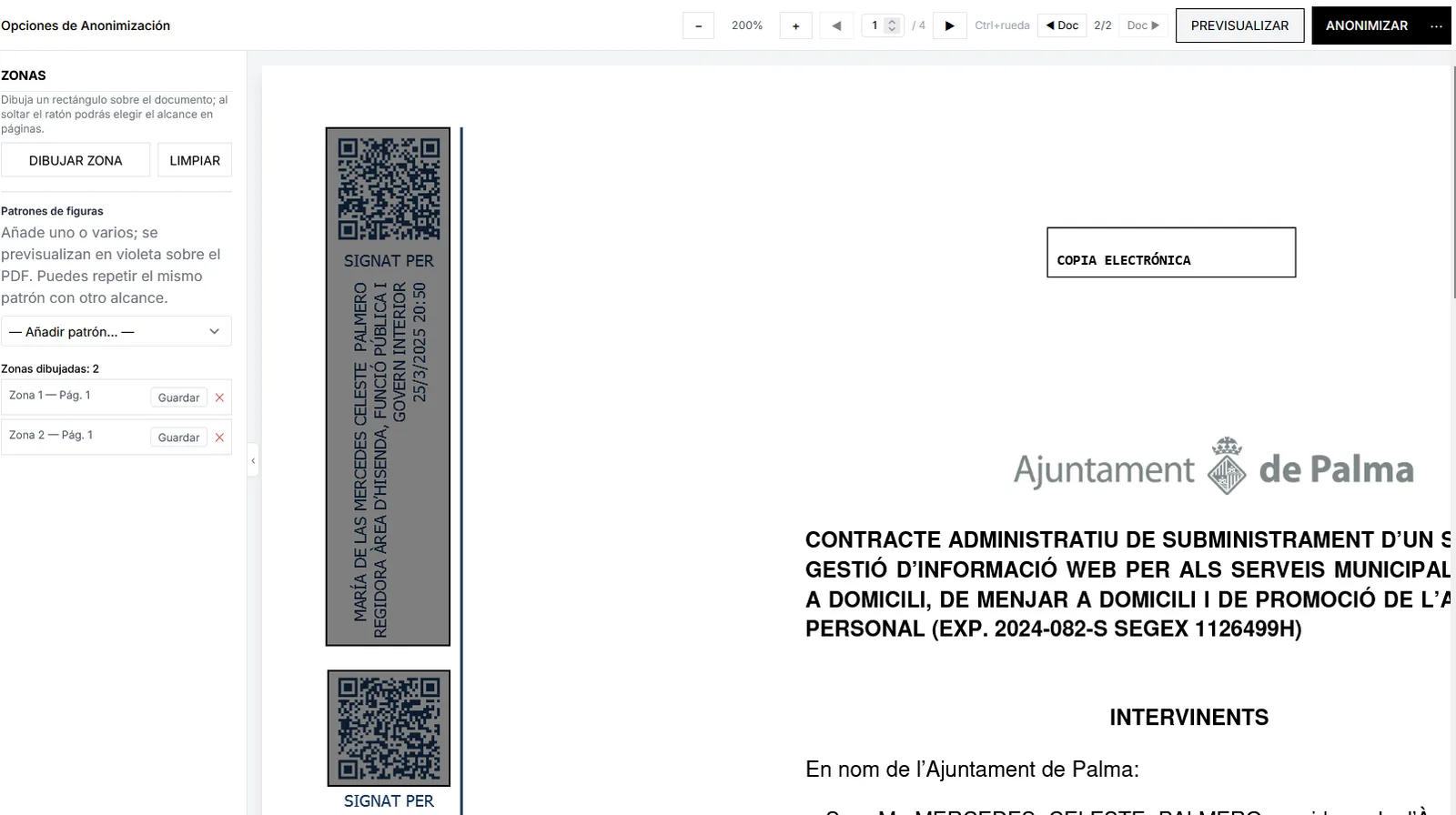
Imagen pendiente
public/images/marketing/visual/hero.webp
Drawing zones over signatures/QR on an administrative document.
1600×900 WebP
When sensitive data is not only text
Some information does not live in a character string: handwritten signatures, photos of people, seals, image codes or ink notes. Anonimatum visual anonymization covers those areas with geometric shapes under your control.
You work with preview: place rectangles or other shapes, compare the result to the original and apply final redaction. You can combine visual zones with patterns, word sets and local AI detection in the same European environment.
We do not claim specialized face detectors or dedicated ID-card OCR as a standalone product: the focus is redacting zones you define, integrable into PDF and office-document flows with Politeia Soft support.
How to anonymize visual zones
- 1
Open the document
Upload the PDF or other supported format and locate pages with visual elements to protect.
- 2
Draw the zones
Apply shapes over signatures, photos, seals or handwriting. Adjust size and position with the preview.
- 3
Confirm and download
Review the result, combine with text detection if needed and export the redacted document.
Visual anonymization capabilities
Geometric shapes
Rectangles and other shapes to cover specific areas. Ideal for signatures, photos, seals and handwritten data that text-only detection misses.
Real-time preview
Compare original and result before locking redaction. Fewer missed zones and fewer over-redactions on legal or clinical documents.
Custom zones
Select exactly which region to hide on each page. Precise control when layouts are irregular or scanned.
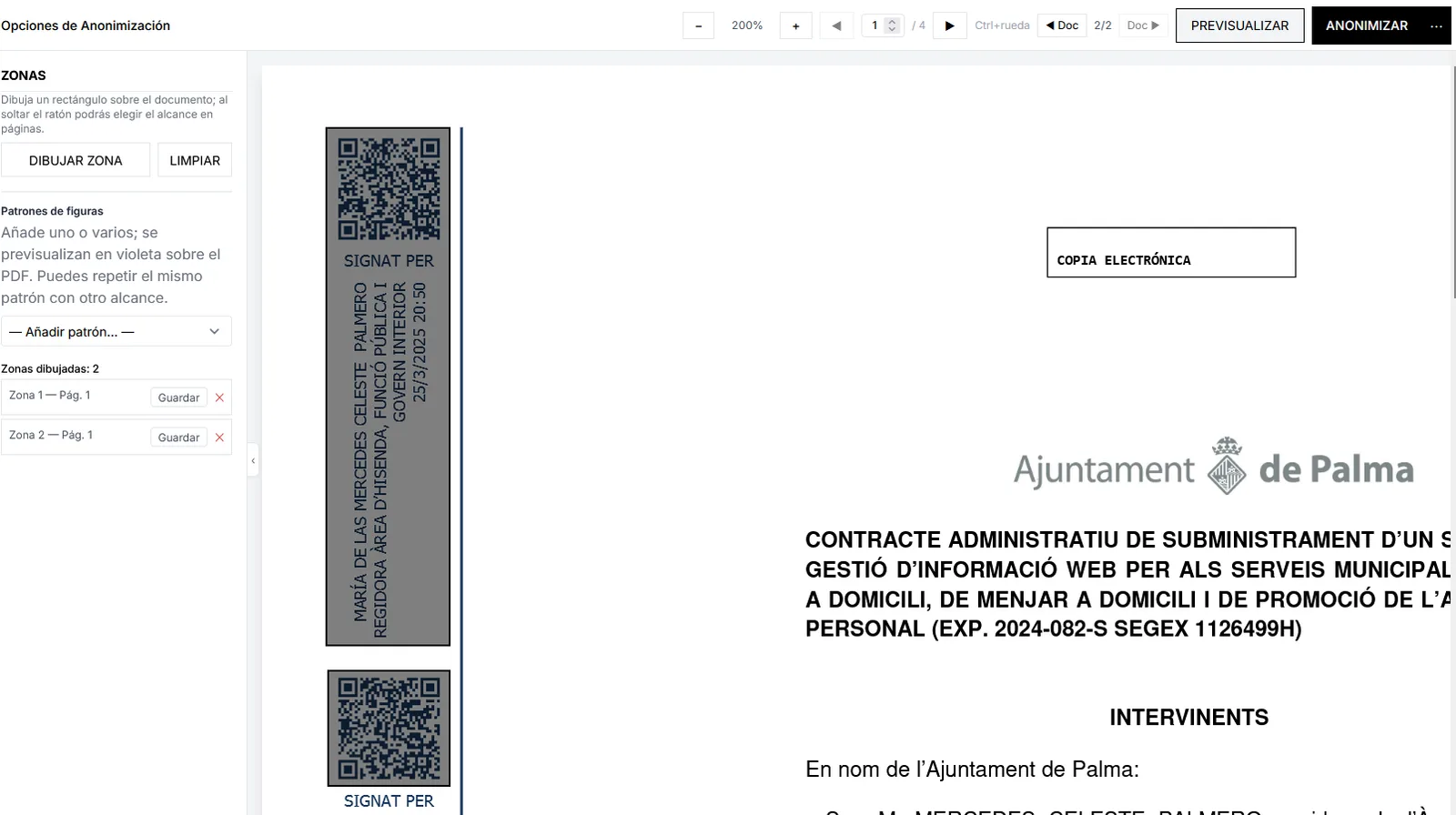
Imagen pendiente
public/images/marketing/visual/preview.webp
Visual zones UI (draw zone) over an electronic signature.
1600×900 WebP
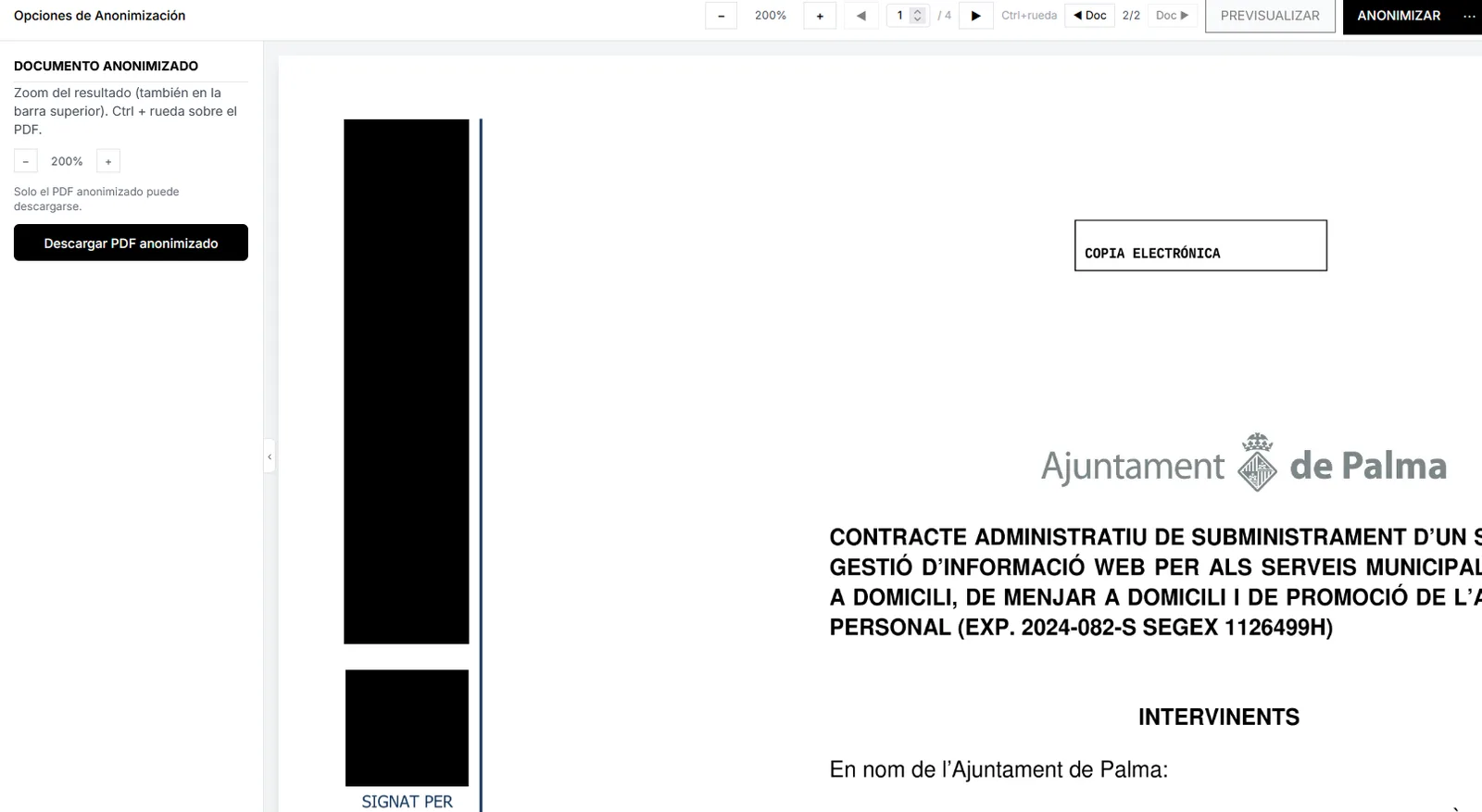
Imagen pendiente
public/images/marketing/visual/zones.webp
Result with black bars and anonymized PDF download.
1400×900 WebP
Why use visual redaction in Anonimatum
Human control where text alone is not enough.
Covers non-textual data
Signatures, photos and handwriting need zones, not only regex. The tool is built for those cases.
Same EU platform
Combine visual zones with patterns, word sets and local AI without moving the document to third-party tools.
Review before closing
Preview prevents incomplete redaction or zones that cover too much on sensitive files.
Batch complement
Use it on critical documents in a remittance where human visual review is required by policy.
Visual use cases
Legal documents
Cover signatures, seals and handwritten data in contracts, deeds and annexes before sharing.
Healthcare
Hide photographs, charts with identifiers and handwritten notes in clinical records or reports.
Academic research
Anonymize images, figures and marks in papers or documentary datasets with visible personal data.
Business and consultancies
Protect screenshots, signatures in minutes and visual information in reports and scanned presentations.
FAQ about visual anonymization
Does it automatically detect faces or ID photos?
We do not offer a specialized face detector or standalone ID-card OCR module. Visual anonymization is based on zones you define (shapes on the document), combinable with text detection, patterns and local AI in the product.
Can I combine zones with patterns?
Yes. That is the recommended flow: patterns and local AI cover text strings; visual zones cover signatures, photos and handwriting. All in the same Anonimatum environment with EU processing.
Is preview mandatory?
It is the safe way to work: place shapes, compare with the original and only then apply final redaction. That reduces omissions and over-redaction on sensitive documents.
Does it work on scanned PDFs?
Yes, especially when the scan leaves signatures or seals as images. If you also need a searchable text layer or OCR inside the anonymization flow, combine with Anonimatum OCR tools as appropriate.
Who trains the team on visual zones?
Politeia Soft provides training and support on visual anonymization, patterns and batches. Agree scope with your organization; there is no Horentia brand in this product.
Visual redaction with control in Anonimatum
Tell us which visual documents you handle — we will guide you on zones, batches and training.
Contact us