
Regex · Word sets · Organization library
Custom patterns for precise anonymization
Define what to detect with regular expressions and word sets tailored to your sector. Validate matches before redacting and reuse the library across the organization.
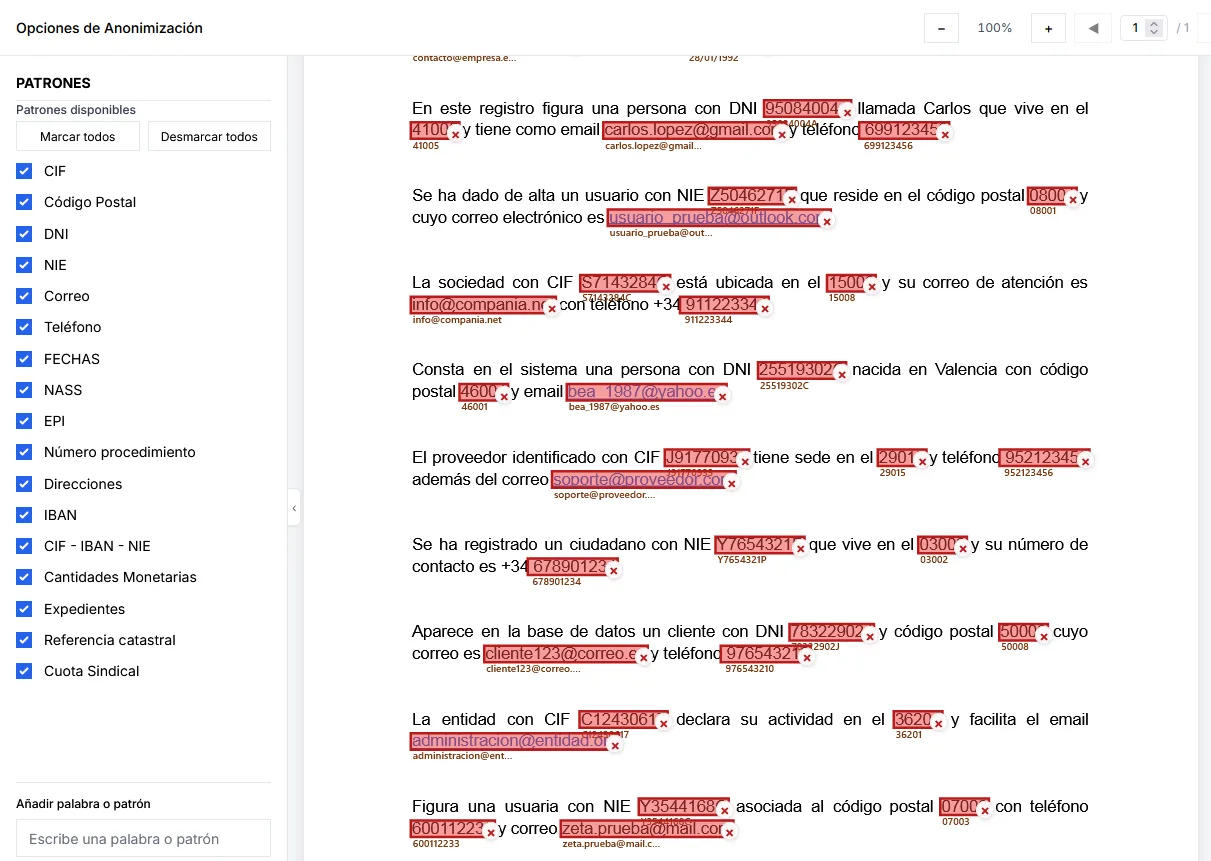
Imagen pendiente
public/images/marketing/patterns/hero.webp
Anonymization options with active patterns and detections on a document.
1600×900 WebP
Why patterns matter in Anonimatum
Automatic detection gets stronger when you combine local EU AI with deterministic rules: regex patterns, word sets and whitelist or reverse lists. That cuts false positives on internal jargon and catches formats a generic model may miss.
Anonimatum lets you create, organize and share patterns by category (personal, financial, medical, employment). You test matches on real documents before applying them to server-side batches.
Politeia Soft supports initial setup when your organization needs sector templates, library governance or integration with batch flows and the enterprise API.
How to create and apply patterns
- 1
Define the pattern or word set
Write a regular expression or a word set (internal codes, brands, frequent surnames) and assign it to a reusable category.
- 2
Validate the matches
Run a test on a sample document: review what the pattern captures, tighten boundaries and avoid redacting terms that must stay.
- 3
Apply to documents or batches
Enable the pattern alongside local AI, visual zones or reverse mode. In batches, the same library is reused with traceability.
Pattern capabilities in Anonimatum
Regular expressions
Control exact formats: identifiers, references, case codes or fixed-structure fields. Combine them with contextual detection from local AI.
Pattern library
Save, organize and share patterns by team or unit. Stop every operator reinventing rules and keep GDPR criteria consistent.
Validation before redaction
Preview matches on the real document. Tune precision and recall before launching remittances or downloading the result.
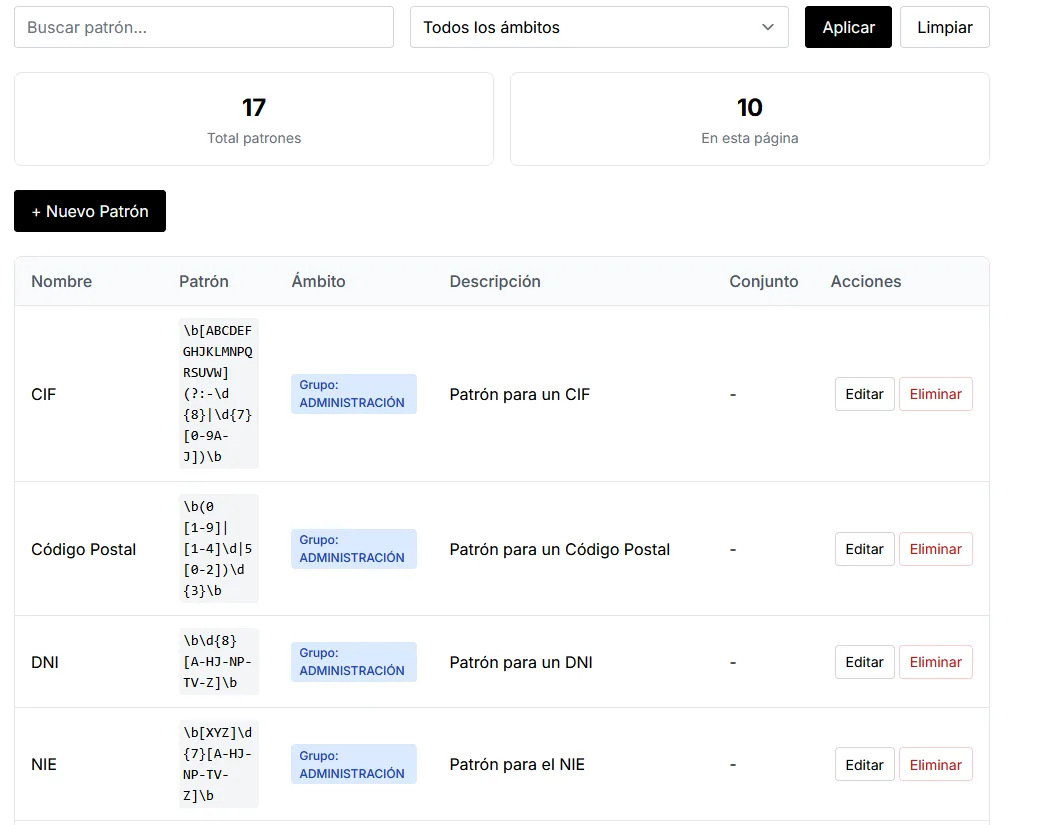
Imagen pendiente
public/images/marketing/patterns/library.webp
Custom patterns library (CIF, DNI, NIE, etc.).
1400×900 WebP
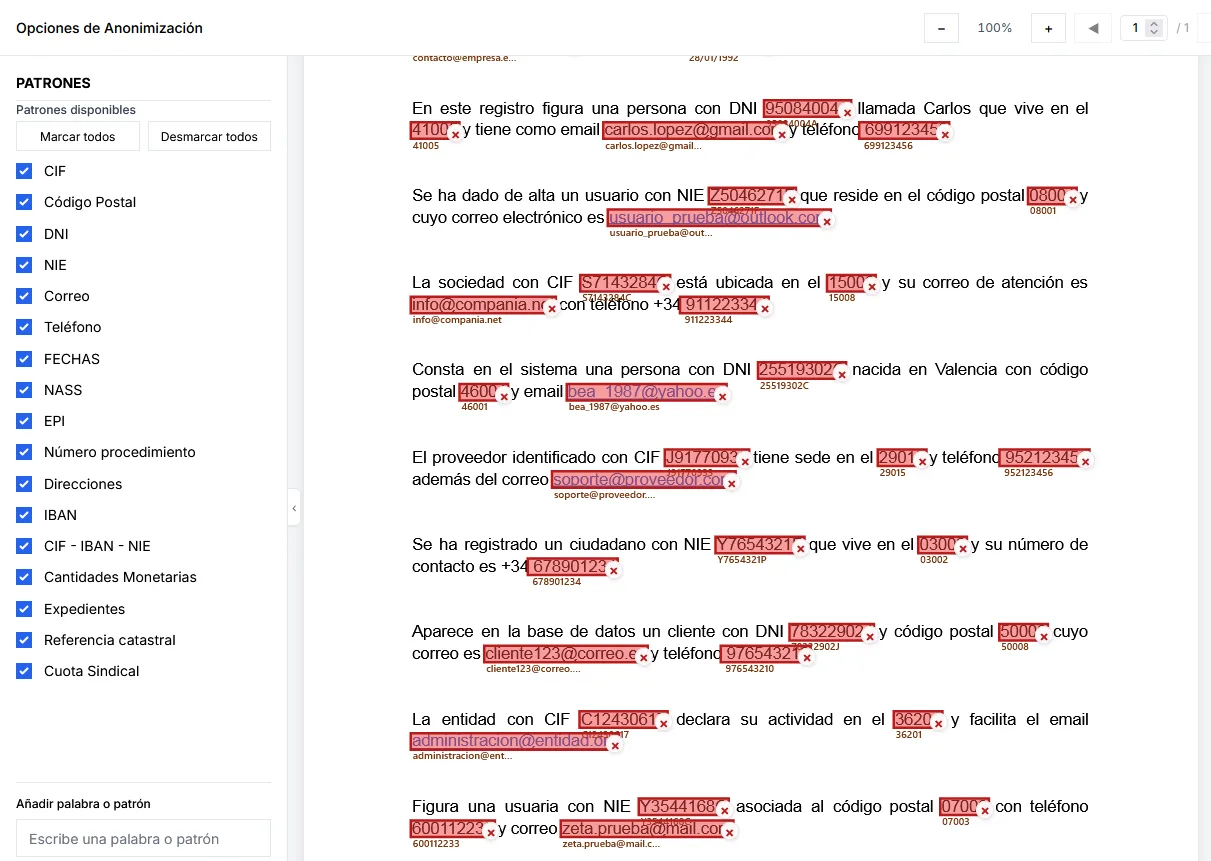
Imagen pendiente
public/images/marketing/patterns/validation.webp
Patterns sidebar + preview with highlighted matches.
1400×900 WebP
Available pattern types
Personal data
- Names and surnames in context
- ID cards, NIE, passports and equivalents
- Postal addresses and land-registry references
- Phones, emails and contact aliases
Financial information
- IBANs and account numbers
- Cards and partial PANs
- Transfer and billing references
- Customer or economic policy codes
Medical data
- Record or episode numbers
- Diagnosis or act codes
- Medication references
- Facility or professional identifiers
Employment data
- Employee codes
- Departments and workplaces
- Job categories and roles
- Payroll or agreement references
Advantages vs manual redaction or generic AI alone
Your rules, European AI and human review in one flow.
Determinism where it matters
Fixed formats (accounts, codes, references) are captured stably without relying only on model context.
Local EU AI
Patterns complement contextual detection on European infrastructure, without sending content to external LLM APIs.
Library governance
Compliance and operations share the same rule base, with less drift between users.
Scales to batches
Once validated, patterns apply to ZIP files and server queues with the same criteria as a single PDF.
Pattern use cases
Administrative case files
Procedure codes, party IDs and internal references that must be hidden for transparency portals.
Contracts and due diligence
Party identifiers, IBANs and clauses with personal data before sharing with third parties.
Clinical or insurance documents
Record numbers, policies and act codes mixed with free text; patterns and word sets sharpen detection.
HR and payroll
Employee codes, cost centres and bank data in reports or PDF/Excel annexes.
FAQ about patterns
Do patterns replace local AI?
No. Patterns and word sets are complementary: they add deterministic precision for known formats, while local EU AI adds context in free text. In practice you use them together and review before redacting.
Can I share patterns across teams?
Yes. The library is designed to organize and reuse rules by category. Legal, compliance and operations then work with the same criteria instead of copying expressions by hand between users.
How do I avoid false positives?
Use prior validation: test the pattern on representative documents, combine word sets and whitelists, and refine the expression until matches reflect what you truly want to hide. Preview is the human control in the flow.
Do they work on batches and ZIP files?
Yes. Once validated, the same patterns apply to server-side batch processing. That is the usual path when you move from a test PDF to full remittances with traceability.
Who helps build the initial library?
Politeia Soft can support rollout: sector templates, pattern governance and training. There is no Horentia product in this flow; commercial and technical support is Politeia Soft on Anonimatum.
Define tailored patterns with Anonimatum
Tell us your sector and data formats — we will guide you on library, batches and local EU AI.
Contact us