
Whitelist · Minimization · Server batches
Reverse anonymization with whitelist
Instead of listing what to hide, you define what must stay visible. Everything else is masked. Ideal when only a few data items may remain under GDPR.
Reverse-mode demos and commercial terms are agreed with Politeia Soft based on your organization and plan.
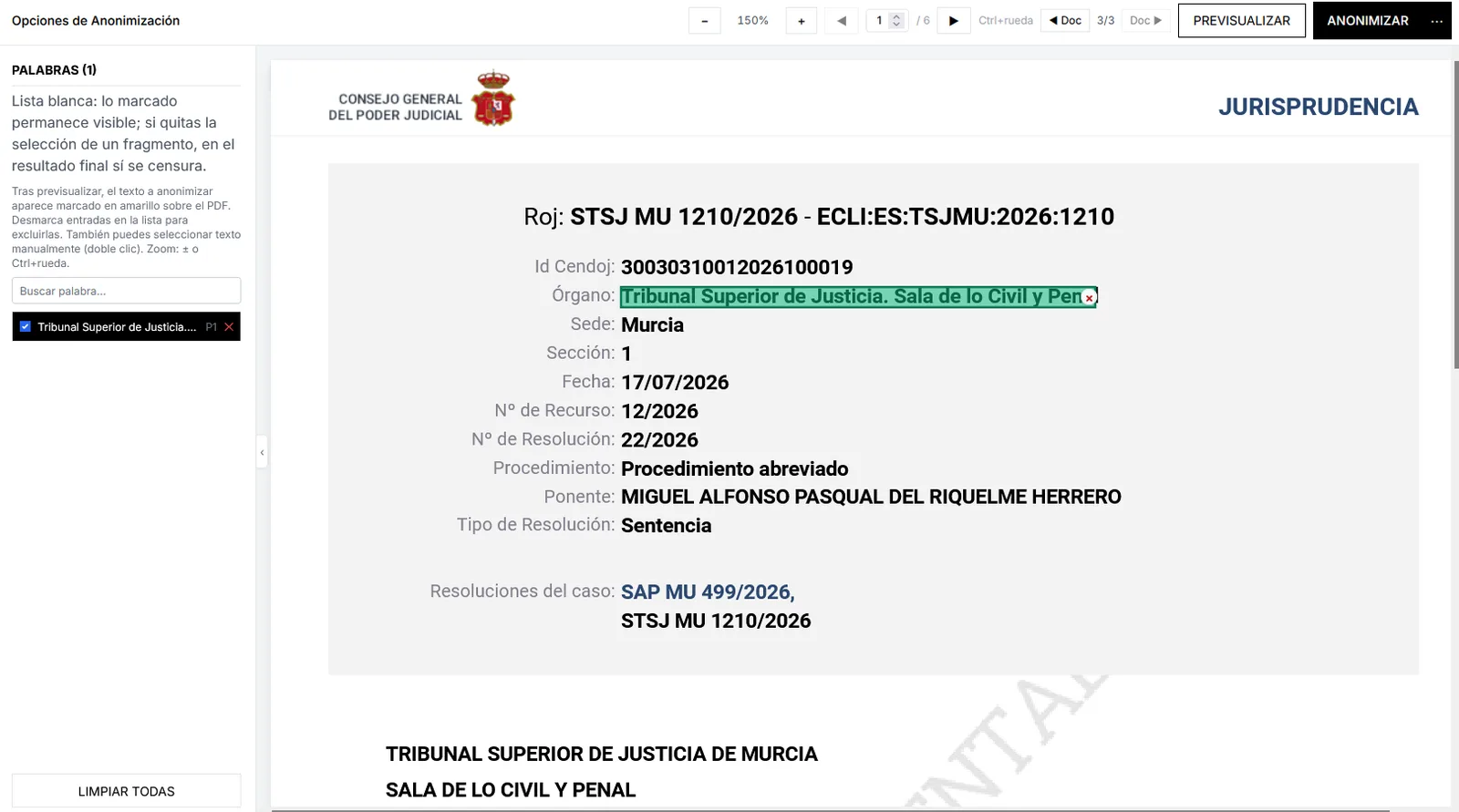
Imagen pendiente
public/images/marketing/reverse/hero.webp
Whitelist: green-marked fragments stay visible.
1600×900 WebP
Minimization by default, not by exception
In many case files the right rule is the inverse of the usual one: almost everything is personal or sensitive, and only public references, procedure codes or expressly authorized fields may survive. Anonimatum reverse mode starts from a whitelist.
You combine whitelist with server-side batch processing and the rest of the stack (patterns, word sets, local EU AI) when you need finer control. The goal is to align the flow with the GDPR minimization principle.
Demos, scope and terms are agreed with Politeia Soft. We do not invent deanonymization promises or third-party brands: the product is Anonimatum, supported by Politeia Soft.
How to apply reverse mode
- 1
Define the whitelist
State the names, blocks or data that must remain visible. The rest of the content is subject to masking.
- 2
Review the result
Confirm that what is kept is exactly what is authorized and that no identifiers remain outside the whitelist.
- 3
Scale to batches
Apply the same policy to server remittances when volume requires it, with process traceability.
Reverse mode capabilities
Whitelist
You explicitly keep the names, blocks or data that must stay visible. Everything else is masked automatically according to the defined policy.
Server-side batches
Reverse mode fits batch processing: apply the whitelist to dozens or hundreds of documents with the same criteria.
GDPR and traceability
Aligned with minimization: only what is strictly necessary is kept. The process leaves an operational trail for internal audit.
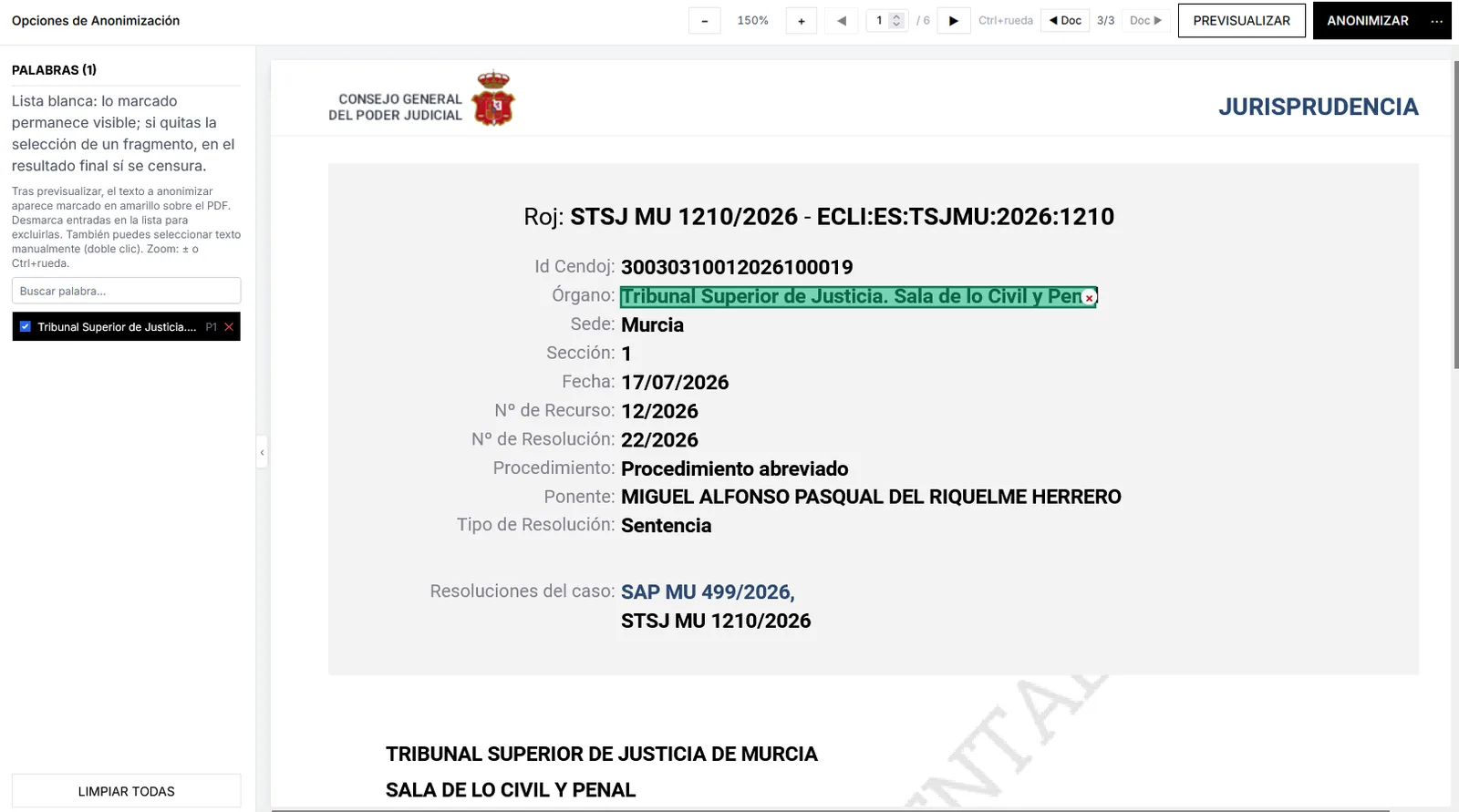
Imagen pendiente
public/images/marketing/reverse/whitelist.webp
Whitelist sidebar + sample judicial document.
1400×900 WebP
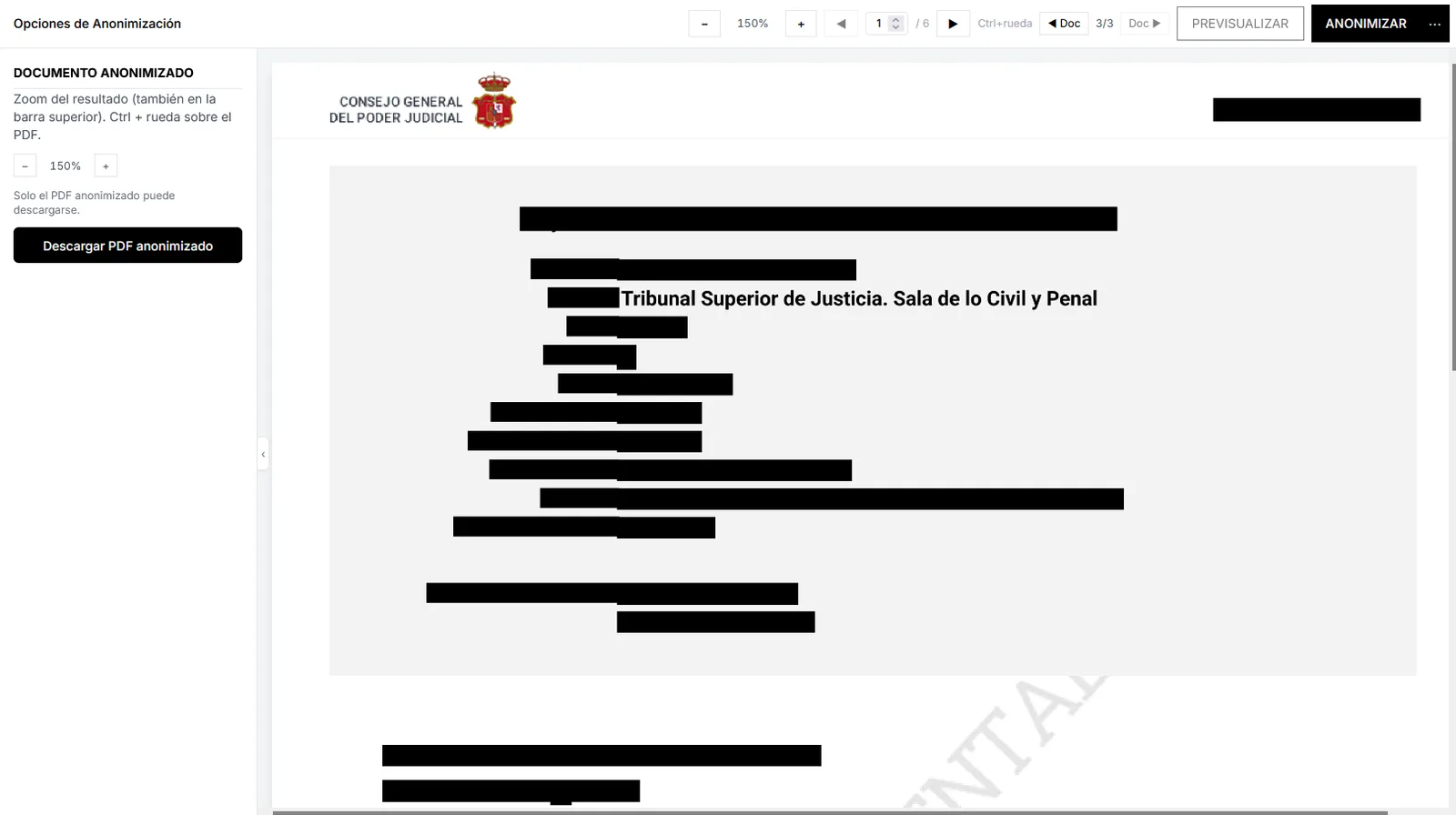
Imagen pendiente
public/images/marketing/reverse/batch.webp
Reverse-mode result: mostly redacted, whitelist kept.
1400×900 WebP
When to choose reverse anonymization
When listing every field to hide is riskier than allowing only what is essential.
Smaller error surface
You do not depend on listing every PII type: what is not whitelisted is masked.
Fit for transparency
Publish or share while keeping authorized administrative references and hiding the rest.
Operational scale
The same whitelist is reused across batches, reducing per-operator criteria drift.
Stack complement
Combine reverse mode with patterns and local AI when the document mixes fixed fields and free text.
Reverse mode use cases
Resolutions for portals
Keep case numbers or public dates and mask identities and addresses.
Reports to third parties
Keep authorized totals or project codes and hide people and contact data.
Mixed remittances
Apply the same whitelist to a ZIP of homogeneous PDFs under a minimization policy.
Restricted internal archive
Produce working copies with only the fields internal procedure allows to see.
FAQ about reverse anonymization
How does it differ from normal mode?
In the usual mode you typically state what to detect and hide (patterns, word sets, AI). In reverse mode you define what to keep on a whitelist and the rest is masked. It is especially useful when the amount to hide far exceeds what may remain visible.
Can I use whitelist and patterns together?
Yes. The whitelist fixes what must survive; patterns and local AI help refine detection on the rest of the document or in mixed flows. Exact configuration is validated in your environment with Politeia Soft.
Does it work for large batches?
Reverse mode is designed to apply in server-side batch processing as well. The same minimization policy then covers full remittances with traceability, not only a single PDF.
Does it guarantee GDPR compliance by itself?
It is a tool aligned with minimization, but compliance depends on your legal basis, data types and internal procedure. Anonimatum enables technical processing in the EU; the controller’s responsibility remains yours.
How do I see a demo?
Request a demonstration from Politeia Soft. You will agree sample documents, whitelist scope and whether associated training is needed. There is no Horentia product in this flow.
Minimize with a whitelist in Anonimatum
Tell us what must stay visible — we will guide you on reverse mode, batches and training.
Contact us